Dropshipment via XML
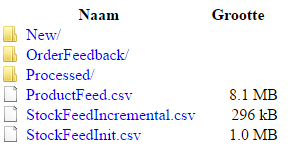
On our FTP server, in the folder /New (
ftp://145.131.1.100/New/) you can place your XML with the dropshipment request.
The filename has a fixed string
ORDERDEBTORNUMBER_
ORDERNUMBER_
YYYYMMDDHHMMSS.XML.
The order number may contain a maximum of 30 characters and has to be identical to the order number within the element <YourRef></YourRef> in the XML.
The packing slip must placed in the same folder (/New) at the same time as a PDF file (maximum 2 pages) and must have the same filename as the XML,
ORDERDEBTORNUMBER_
ORDERNUMBER_
YYYYMMDDHHMMSS.PDF.
![]()
Example XML
Click here for an explanation of the content of the elements and attributes of the XML.
<?xml version="1.0"?>
<eExact xmlns:xsi="http://www.w3.org/2001/XMLSchema-instance" xsi:noNamespaceSchemaLocation="eExact-Schema.xsd">
<Orders>
<Order type="V" partialdelivery="0">
<Description>Dropship</Description>
<YourRef>ORDER123456789</YourRef>
<OrderedBy>
<Debtor code="123456" number="123456" type="C">
<Name>FOTO SPECIALIST BV</Name>
</Debtor>
<Date>2016-12-31</Date>
</OrderedBy>
<DeliverTo>
<Debtor code="123456" number="123456">
<Name>FOTOGRAAF BV</Name>
</Debtor>
<Address>
<Addressee>
<Name>Wortel</Name>
<Initials>W.I.L.L.Y</Initials>
</Addressee>
<AddressLine1>Duckstraat 15</AddressLine1>
<PostalCode>1234 AB</PostalCode>
<City>Verweggistan</City>
<Country code="NL"/>
<Phone>0612345678</Phone>
<Email>willy@wortel.nl</Email>
</Address>
<Date>2017-01-02</Date>
</DeliverTo>
<InvoiceTo>
<Debtor code="123456" number="123456" type="C">
<Name>FOTO SPECIALIST BV</Name>
</Debtor>
</InvoiceTo>
<DeliveryMethod code="F10"/>
<Selection code="DR"/>
<OrderLine lineNo="1">
<Item code="ARTIKEL1"/>
<Quantity>1</Quantity>
</OrderLine>
<OrderLine lineNo="2">
<Item code="ARTIKEL2"/>
<Quantity>5</Quantity>
</OrderLine>
</Order>
</Orders>
</eExact>